


【分享】自定义函数实现列数据渐变背景色填充
需求说明
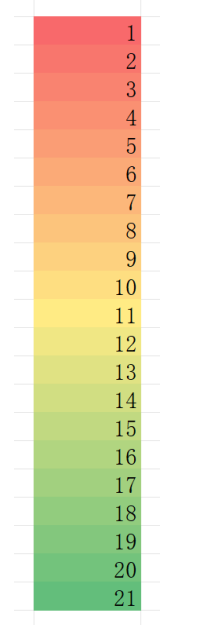
在润乾报表中,对自动扩展的单元格区域,设置三种基础背景色,使扩展后的单元格自动填充出平滑的渐变色背景。
实现方法
自定义函数,通过动态计算颜色值并设置单元格背景色表达式引用该函数,实现渐变效果。
实现步骤
1、自定义函数
具体代码为:
import com.raqsoft.common.ReportError;
import com.raqsoft.report.model.expression.Expression;
import com.raqsoft.report.model.expression.Function;
import com.raqsoft.report.model.expression.Variant2;
import com.raqsoft.report.resources.EngineMessage;
import com.raqsoft.report.usermodel.Context;
import com.scudata.common.MessageManager;

public class JJS  extends Function{

	@Override
	public Object calculate(Context ctx) {
		// TODO Auto-generated method stub
		verifyBlackColor();

		 if (this.param == null || this.param.getSubSize() ==0) { // 判断参数是否为空
			 MessageManager mm = EngineMessage.get();
			  throw new ReportError("encrypt:" + mm.getMessage("function.invalidParam"));
			  }
	     // 获取第一个参数的表达式,从 0 开始
		Expression param1=(Expression)this.param.getSub(0).getLeafExpression();
		// 算出第一个参数值
		int totalL = (int) Variant2.getValue(param1.calculate(ctx),false);

	    // 获取第二个参数的表达式
		Expression param2=(Expression)this.param.getSub(1).getLeafExpression();
		// 算出第二个参数值
	    int indexL = (int) Variant2.getValue(param2.calculate(ctx),false);
	    return getGradientColor(totalL,indexL);
		//return null;
	}
	// 生成优化后的渐变颜色(返回润乾兼容的带符号ARGB数值)
	public static int getGradientColor(int total, int index) {
		// 1. 定义三个基础色(RGB数组)
		//int[] colorA = new int[]{255, 107, 107}; // #FF6B6B
		//int[] colorB = new int[]{255, 255, 224};  // #4ECDC4
		//int[] colorC = new int[]{85, 98, 112};   // #556270

		//红 黄 橙
		int[] colorA = new int[]{178, 34, 34};
		int[] colorB = new int[]{78, 205, 196};
		int[] colorC = new int[]{255, 140, 0};

		// 2. 边界处理(优化逻辑,保证基础色精准返回)
		if (total <= 1) {
			return getArgbColor(255, colorA[0], colorA[1], colorA[2]);
		} else if (total == 2) {
			return index == 1 ? getArgbColor(255, colorA[0], colorA[1], colorA[2])
							  : getArgbColor(255, colorC[0], colorC[1], colorC[2]);
		}

		// 3. 优化的渐变区间计算(核心改进点)
		// 将整个渐变过程分为两段:A→B(前半段)、B→C(后半段),总长度为total-1个过渡步长
		double totalSteps = total - 1;
		// 计算当前索引对应的全局进度(0~1)
		double globalProgress = (index - 1) / totalSteps;

		double r, g, b;
		// 两段渐变的分界点设为0.5(中间位置)
		if (globalProgress <= 0.5) {
			// A→B渐变:将0~0.5的进度映射到0~1
			double segmentProgress = globalProgress / 0.5;
			// 使用线性插值+轻微的平滑处理
			segmentProgress = smoothStep(segmentProgress);
			r = linearInterpolation(colorA[0], colorB[0], segmentProgress);
			g = linearInterpolation(colorA[1], colorB[1], segmentProgress);
			b = linearInterpolation(colorA[2], colorB[2], segmentProgress);
		} else {
			// B→C渐变:将0.5~1的进度映射到0~1
			double segmentProgress = (globalProgress - 0.5) / 0.5;
			segmentProgress = smoothStep(segmentProgress);
			r = linearInterpolation(colorB[0], colorC[0], segmentProgress);
			g = linearInterpolation(colorB[1], colorC[1], segmentProgress);
			b = linearInterpolation(colorB[2], colorC[2], segmentProgress);
		}

		// 4. 四舍五入为整数RGB(限制取值范围,避免越界)
		int roundR = clamp(Math.round((float) r), 0, 255);
		int roundG = clamp(Math.round((float) g), 0, 255);
		int roundB = clamp(Math.round((float) b), 0, 255);

		// 5. 转换为润乾兼容的ARGB有符号数值
		return getArgbColor(255, roundR, roundG, roundB);
	}

// 线性插值方法(保证颜色过渡均匀)
private static double linearInterpolation(int start, int end, double progress) {
    return start + (end - start) * progress;
}

// 平滑步进函数(让渐变开头和结尾更柔和,避免生硬)
private static double smoothStep(double x) {
    // 使用3x²-2x³的平滑曲线,x∈[0,1]
    return x * x * (3 - 2 * x);
}

// 数值范围限制(防止RGB值超出0-255范围)
private static int clamp(int value, int min, int max) {
    return Math.max(min, Math.min(max, value));
}

// 核心工具方法:计算润乾格式的ARGB有符号数值
private static int getArgbColor(int a, int r, int g, int b) {
    int argb = (a << 24) | (r << 16) | (g << 8) | b;
    return argb;
}

// 辅助方法:验证润乾数值
public static void verifyBlackColor() {
    int blackArgb = getArgbColor(255, 0, 0, 0);
    //System.out.println("黑色的润乾数值(预期-16777216):" + blackArgb);
}
}
保存为 JJS.java。
2、在设计器下引入编写好的类文件
把写好的 JJS.java 编译后的.class 文件放到设计器的类路径下 report\config\classes(没有的文件夹自己新建),否则找不到这个类。
3、自定义函数的登记
在 java 的类路径 report\config\classes\config 下找到 customFunctions.properties 文件 (如果没有需要自己创建),并在其中进行自定义函数类及函数名的登记。
具体写法为:
# hello=0,func.TestFunc
# 0代表普通函数,1代表数据集函数

sim=0,com.raqsoft.report.selfdefine.SimFunction
dsfun=1,com.raqsoft.report.selfdefine.DsFun
jjs=0,JJS
4、设计报表
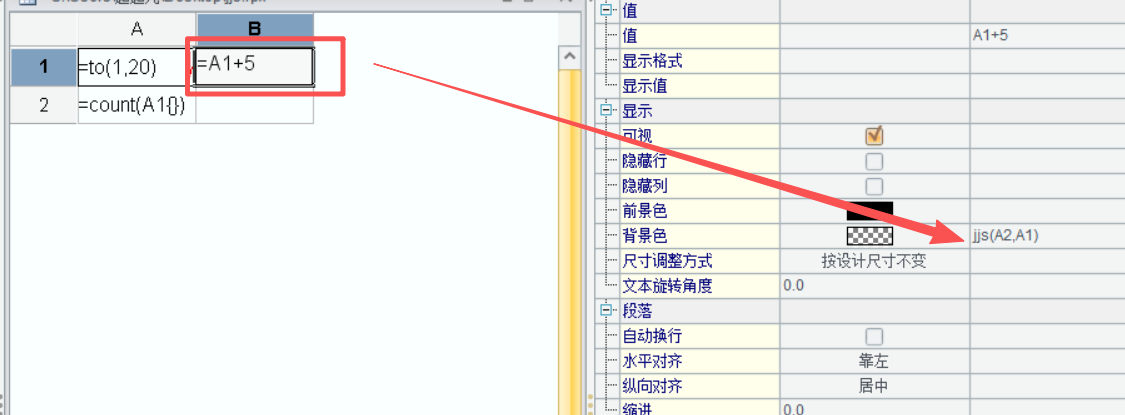
在 B1 单元格引用 JJS()函数,写法为 jjs(A2,A1)
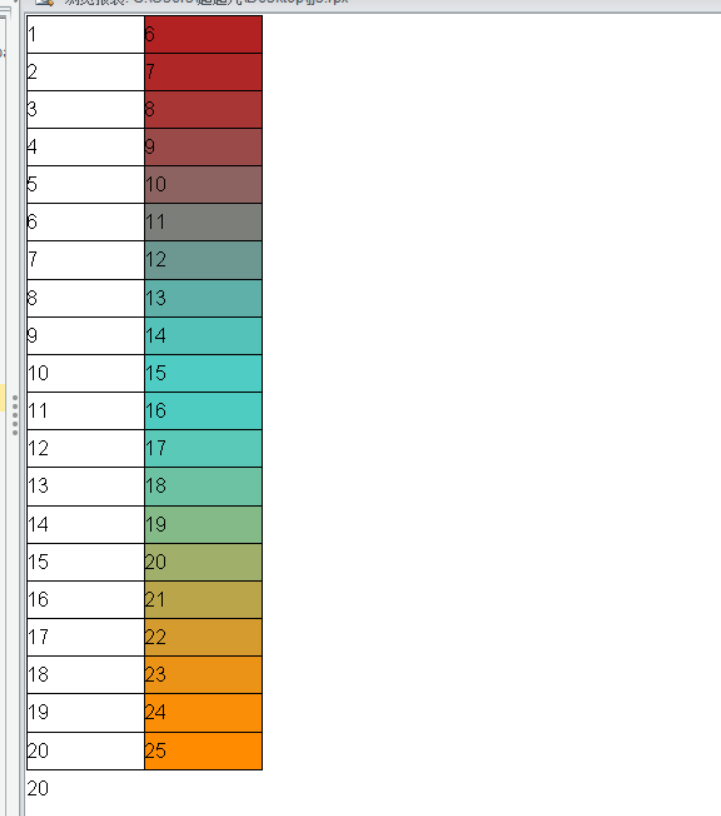
5、预览报表效果为
6、web 端预览查看效果
将编译好的类文件以及自定义函数登记的文件放在 web 应用目录下。
JJS.java 、JJS.class 文件放在安装目录 report\web\webapps\demo\WEB-INF\classes 下
customFunctions.properties 文件放在 report\web\webapps\demo\WEB-INF\classes\config 下。
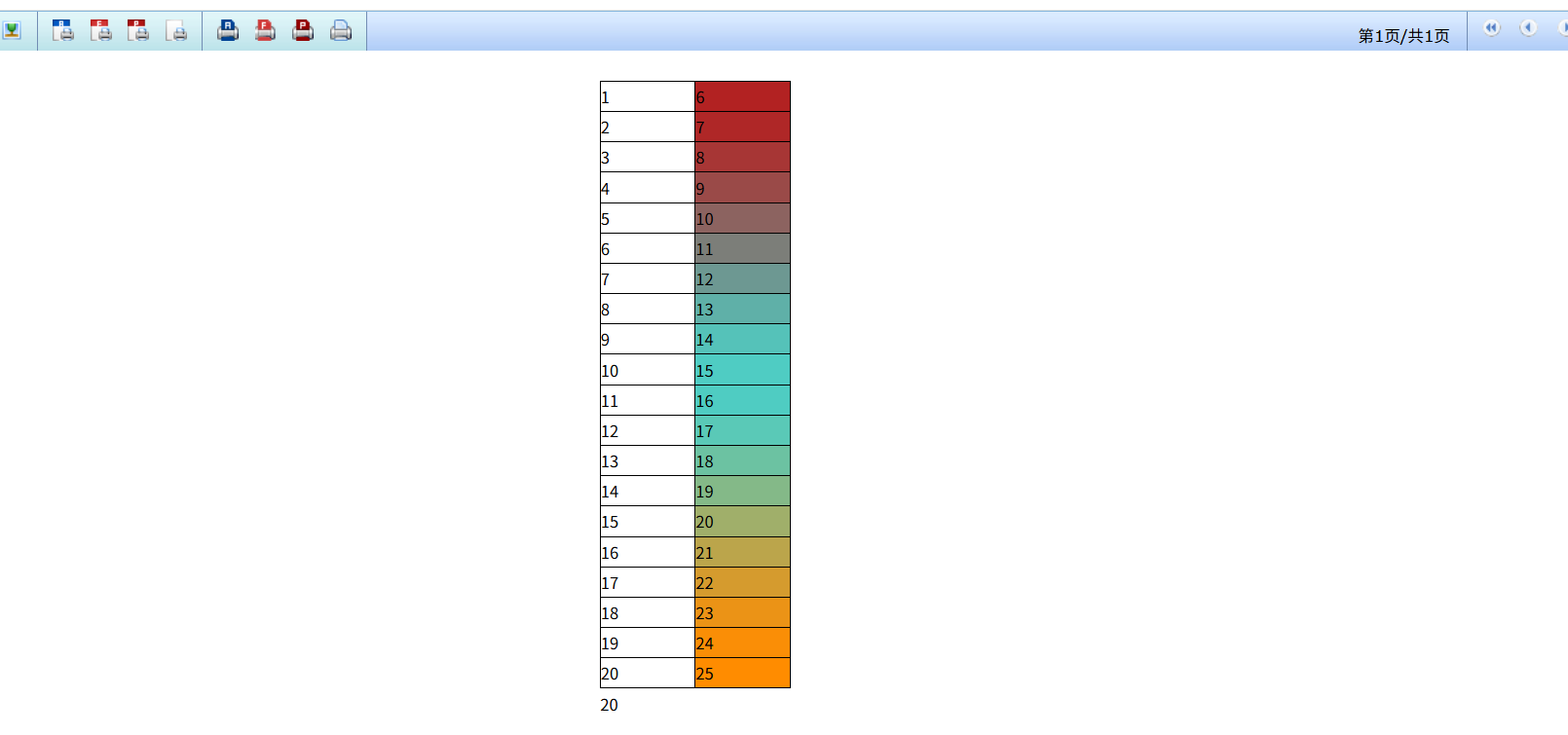
示例报表
zip